Class Schedule Wallpaper Maker
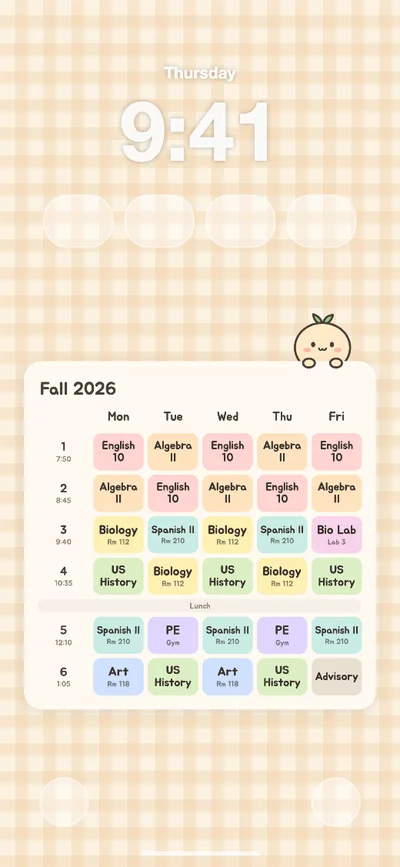
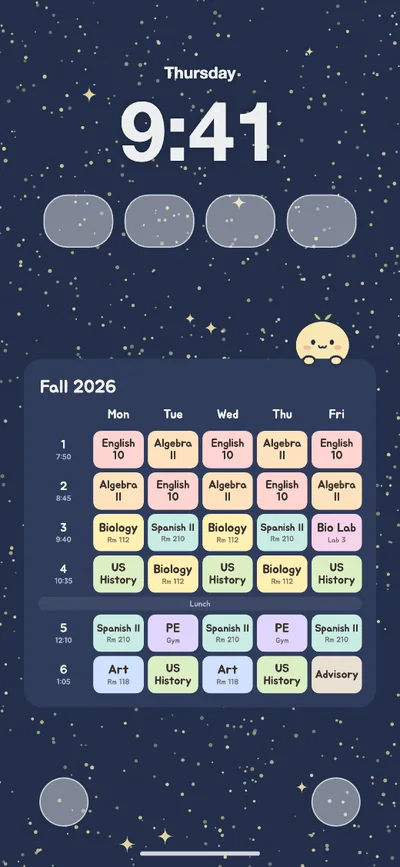
Type your classes, rooms and start times, pick your phone, and download a lock screen wallpaper with your schedule placed below the clock and widgets. It is built at your exact screen size (1179×2556 px for iPhone 16, 1080×2424 px for Pixel 9) with cute backgrounds or your own photo. Free, no account, nothing uploaded.
Good to know
Wallpaper size for each phone
| Device | Size (px) |
|---|---|
| iPhone 17 / 17 Pro / 16 Pro | 1206×2622 |
| iPhone 17 Pro Max / 16 Pro Max | 1320×2868 |
| iPhone Air | 1260×2736 |
| iPhone 16 / 15 / 15 Pro / 14 Pro | 1179×2556 |
| iPhone 16 Plus / 15 Plus / 15 Pro Max / 14 Pro Max | 1290×2796 |
| iPhone 16e / 14 / 13 / 12 | 1170×2532 |
| iPhone SE (2nd/3rd gen) / 8 | 750×1334 |
| Galaxy S25 / S24 / S23 / A series | 1080×2340 |
| Galaxy S25 Ultra / S25+ / S24 Ultra | 1440×3120 |
| Galaxy Z Flip (main screen) | 1080×2640 |
| Pixel 10 / 9 | 1080×2424 |
| Pixel 10 Pro / 9 Pro | 1280×2856 |
| iPad / iPad Air 11" (landscape) | 2360×1640 |
| iPad Pro 11" M4 (landscape) | 2420×1668 |
| iPad Air 13" / Pro 12.9" (landscape) | 2732×2048 |
| Other phone (1080×2400) | 1080×2400 |
On an iPhone lock screen the date and clock fill roughly the top 26% of the screen (32% with a widget row), and the flashlight and camera buttons plus notifications use the bottom 13%. On Android phones it is about 25%–30% at the top and 12% at the bottom. Your schedule goes in the space between.
Setting it as your lock screen
- iPhone: open the saved image in Photos and tap Share → Use as Wallpaper.
- Do not pinch to zoom. Tap Add, then Set as Wallpaper Pair or choose the lock screen only.
- Android: open the image in Google Photos or Gallery, tap ⋮ → Set as wallpaper (or Use as) → Lock screen.
- If the clock touches your schedule, move it down a little or make it smaller here and save again.
College schedule wallpaper
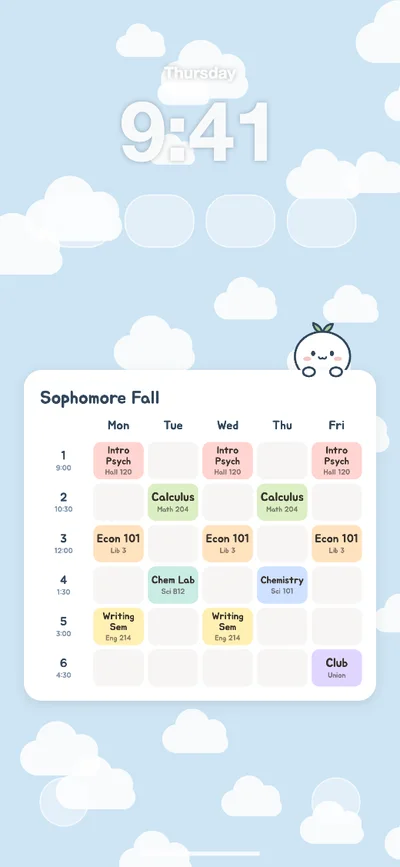
College weeks run on class times instead of numbered periods: Monday/Wednesday/Friday classes are often 50 minutes and Tuesday/Thursday classes 75, with free time in between. Tap "College example" to load a sample week (Monday/Wednesday/Friday and Tuesday/Thursday courses, lecture halls, empty slots), then type in your own courses and change each start time to match your registrar schedule.
- A screenshot of your student portal or schedule app also captures the status bar and menus, and the schedule near the top ends up behind the lock screen clock. Re-typing the courses here keeps everything readable.
- Short room labels like "Sci B12" or "Hall 120" fit best in each slot.
- Saturday classes? Switch the days to Mon–Sat. You can go up to 10 blocks a day.
Tips for a schedule you can read at a glance
- Short class names (Bio, Chem, APUSH) print bigger in each slot. Long names wrap onto two lines automatically.
- Add room numbers in the first weeks of the semester and you will not need to dig out your printed schedule between classes.
- The night sky theme keeps the white lock screen clock easy to read. On light themes, switch the clock color to black in the iOS editor.
- Clear every slot to get a blank timetable template, and use the square image to send your schedule to friends.
Planning the whole year? Try the free 2027 printable planner or set goals with the mandala chart maker.
Sources
How to use it
- 1
Tap a slot in the grid and type the class and room. "Next" jumps to the next period, and classes you already typed appear as quick buttons. Set the number of periods (4–10), Mon–Fri or Mon–Sat, and where lunch goes.
- 2
Choose your phone or tablet. The preview shows where the lock screen clock, widgets and bottom buttons will sit, so you can see right away whether anything covers your schedule. Nudge the position or size if you need to.
- 3
Tap "Download wallpaper", then on iPhone open the image in Photos → Share → Use as Wallpaper. On Android, open it in Photos or Gallery → ⋮ → Set as wallpaper → Lock screen.
FAQ
What size should a class schedule wallpaper be for iPhone?
Every model is different: iPhone 16, 15 and 15 Pro are 1179×2556 px, iPhone 17, 17 Pro and 16 Pro are 1206×2622, the Pro Max models are 1320×2868, and iPhone 13, 14 and 16e are 1170×2532 (about 1:2.17). Pick your model here and the wallpaper is made at that exact size, so iOS does not zoom or crop it.
How do I keep the clock and widgets from covering my schedule?
On iPhone the date, clock and widgets take roughly the top quarter of the screen (about a third with widgets), and the flashlight and camera buttons plus notifications use the bottom 13%. Picking your device leaves those areas empty and centers the timetable in between. Turn on "Show clock & widgets" in the preview to check, and move it down a little if you use a large clock.
How do I set it as my lock screen?
iPhone: open the image in Photos, tap Share → Use as Wallpaper, do not pinch to zoom, then tap Add and choose Set as Wallpaper Pair (or just the lock screen). Turning off Perspective Zoom keeps it steady. Android: open it in Google Photos or Gallery, tap ⋮ → Set as wallpaper (or Use as) → Lock screen.
Can I add room numbers and class times?
Yes. Each slot has a room field that shows in small text under the class name, and each period has a start time. When you pick a class you already used, its room fills in automatically. Turn "Show times" or "Show rooms" off for a cleaner look.
Does it work for college or block schedules?
Yes. Tap "College example" to fill in a sample college week with 75-minute blocks (9:00, 10:30, 12:00…), lecture halls and free periods, then swap in your own courses. It handles 4 to 10 blocks, Monday to Friday or Saturday, and start times are free text. Leave a slot empty when you have no class and it stays a soft blank box.
Can I use my own photo as the background?
Choose "My photo" and pick any picture. It fills the screen and the schedule sits on a frosted card on top. The photo is only used inside your browser and is never uploaded. The other backgrounds (cream gingham, clouds, strawberry milk, mint grid, night sky) are our own patterns, free to use.
Is my schedule saved or uploaded?
Your classes, rooms, times and settings are saved only in this browser, so you can come back and edit them later (photos are not saved). Nothing is sent to a server. Tap "Clear all" to wipe it.
Can I make an iPad wallpaper or an image to share?
Pick an iPad (landscape) to get 2360×1640 (iPad / Air 11"), 2420×1668 (Pro 11" M4) or 2732×2048 (Air 13" / Pro 12.9"). "Square image for sharing" saves a 1080×1080 version for Instagram or a group chat.
More free tools
- Story Lab — Interactive StoriesSpeak or type your next move. Your choices change the story. No sign-up.
- Voice Stories for KidsSpeak or type your next move. Your choices change the story. No sign-up.
- Interactive Mystery StoriesSpeak or type your next move. Your choices change the story. No sign-up.
- Background RemoverRemove image backgrounds for free, right in your browser. No upload.
- Image CompressorCompress photos and convert to WebP/JPG at once. In-browser, no upload.
- HEIC to JPG ConverterConvert iPhone HEIC photos to JPG in your browser. No upload, batch ZIP.
37 more tools
- Passport Photo ResizerCrop to 35×45 mm or 2×2 in passport sizes and file-size limits. No upload.
- Image to PDFCombine photos into one A4 PDF in your browser. Reorder, rotate, no upload.
- 2027 Digital PlannerDated 2027 yearly, monthly + weekly planner PDF with clickable tabs for GoodNotes. No email.
- Mandala Chart MakerFill the 9x9 goal grid one block at a time, then save a PDF or story image.
- Printable Letter BannerType any words, get a free one-letter-per-page banner PDF. Birthday, Halloween, Christmas.
- Advent Calendar PrintablePrint 1–24 number tags plus a daily activity card with your own ideas. Family, couples, self-care, reading.
- Photo Calendar MakerPick 12 photos, print a 2027 calendar at home. Fold-and-stand desk calendar, wall pages or 4×6 mini.
- Sticker Chart MakerFree printable reward chart with your child's name, goal and prizes. 10 to 100 squares.
- 100 Questions About MePick topics, answer one at a time, save as text or Instagram story images. Couple, OC and year-in-review sets too.
- What's in My Brain MakerType a name, pick a pack, get a cute brain map meme. Edit the labels, save for posts and stories, print a worksheet.
- Add Subtitles to a PhotoMovie subtitles with letterbox bars, reality-show captions and reaction stickers on your own photo. No upload.
- Fortune Cookie OnlineCrack a cookie for today's encouraging line, a lucky color and a lucky thing. Save it as a post or phone wallpaper.
- Prize Draw & Kuji BoardSet prizes by tier, tear open kuji tickets one by one. Group picks and printable tickets.
- Animalese GeneratorType a line and a bunny, cat or bear babbles it Animal Crossing-style. Save it as a WAV or send a link.
- Reading Wrap-Up MakerTurn the books you read into a wrap-up card: books per month, ratings and your top 3. Monthly too.
- BBC 100 Books ChecklistTick the BBC Big Read top 100 and get your count, reader rank and next 3 reads as a card. Compare with friends.
- Taiyaki Maker GameDraw in a taiyaki mold, pick a filling, flip and pull it out on time. Your drawing comes out baked on three fish pastries.
- AFI 100 Movies ChecklistTick the AFI top 100 movies and get your count, rank, hours watched and next 3 films as a card. Compare with friends.
- Letter from Santa MakerPick what your child did well this year and Santa's reply writes itself. Printable North Pole letterhead and envelope.
- Bucket List ChecklistTick off 100 bucket list ideas for your score card, a 10-things-this-year card, a couples list and a printable template.
- Cake Writing GeneratorType a message and see it piped on a top-down cake, pipe your own drawing, then send the bakery one clear design sheet.
- Romance Fantasy Life SimulatorWake up as a random character in a romance fantasy novel, dodge the death flags, and live the whole life in a minute.
- Character Stat Chart MakerDrag the corners to set your or your OC's stats and get S–F ranks, a title and a game status card. Friends can rate you too.
- Cake Topper GeneratorType your words, pick the cake size, print a topper that fits. One-piece cut line, stick marks and Cricut SVG.
- Five Elements CalculatorYour birthday gives your BaZi chart and a count of Wood, Fire, Earth, Metal and Water. Save a cute card, add a friend.
- Eat the RichPick a boss, from Musk to Nvidia to the whole S&P 500, and see what everyone gets when it's split.
- Birthday Color PatternOne birthday, one color. Weave your family, friends or class into gingham, tartan or tiny florals.
- Life Graph MakerAges and how each moment felt, drawn as one curve. Your highs, your lows and how long it took to smile again.
- Reading Passbook MakerA printable reading log that looks like a bank passbook. Every book is a deposit. 30, 50 or 100-book goals.
- Personal User Manual MakerFeatures, how to recharge, warnings: tap example chips and get a cute appliance-style manual of you. Story image or printable PDF.
- New Year Card Maker 2027A cute 2027 card with a little red sheep. Send it as a link and your friend opens a lucky pouch with 3 wishes.
- Mini CD Keychain TemplateAdd a photo, title and tracklist and print a real-size mini CD keychain insert. A4/Letter PDF or 4×6 photo print.
- My Picture DiaryWrite your day on journal lines, draw it in crayon and get a red-pen note and a stamp. Free blank draw and write journal PDF.
- Photocard MakerTurn your photos into 55×85 mm photocards. A4/Letter sheet with cut lines, 300 dpi print-shop PNGs and a patterned back.
- Korean School Lunch Tray MakerFill a Korean school lunch tray with rice, soup, sides, milk and dessert and save the menu card. Free printable tray worksheet.
- Worlds 2026 Bracket PredictorPick every match from the Swiss stage to the final and share your Worlds 2026 bracket as an image or a link.
- Am I More Like Mom or Dad?Pick Mom or Dad for 8 body parts and 16 habits and get a colored look-alike map. Compare siblings, no photo.